All-in-One Behind a PDF Editor, Image Converter, and Calculator Online That Just Flow
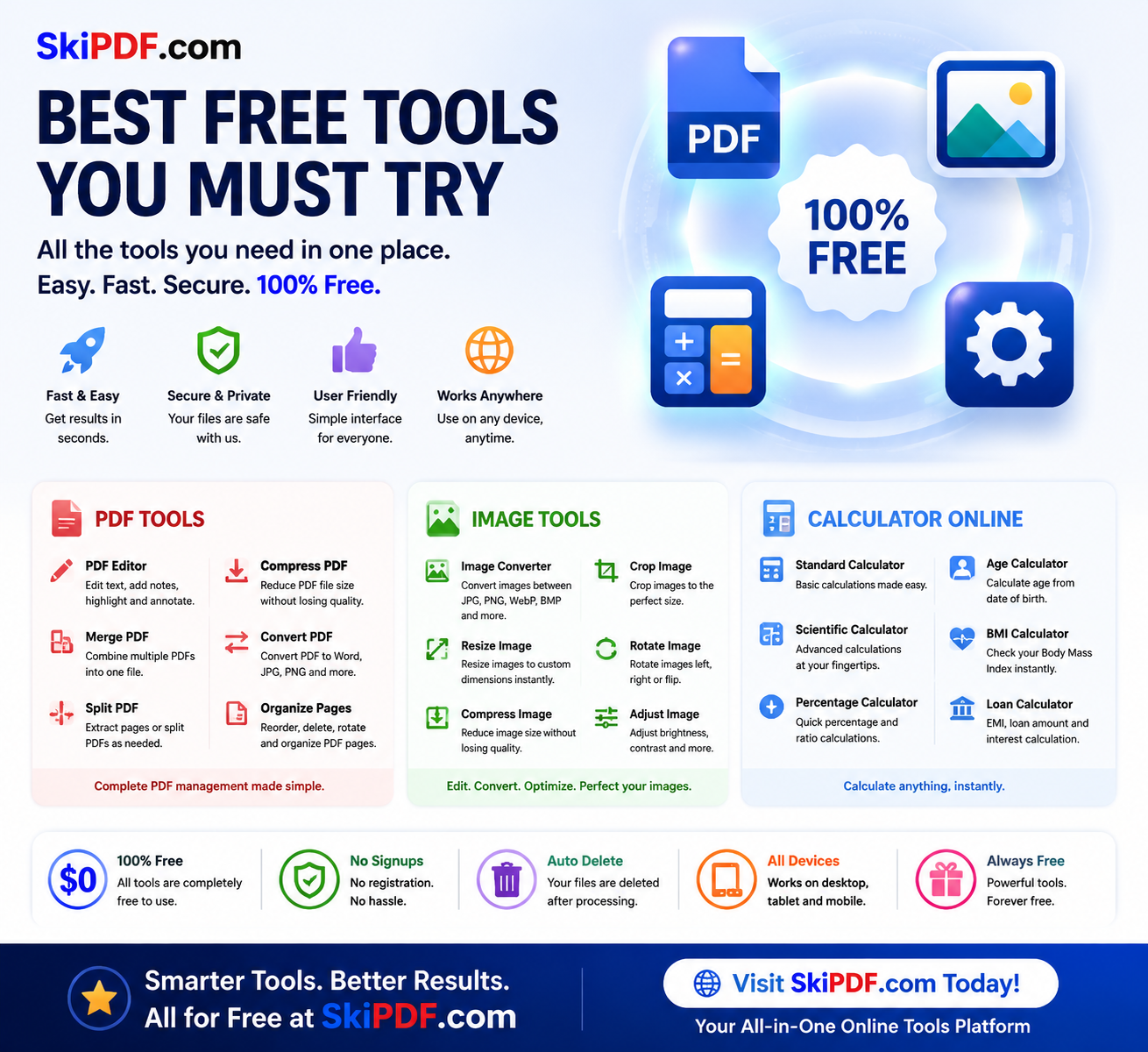
  • Building a multi-functional online tools platform isn’t about cramming widgets onto a single page. It’s about choreographing a seamless experience where a PDF editor, an image converter, and a calculator online feel like natural extensions of a user’s thought process. Most tool sites bolt features together haphazardly, forcing visitors to relearn interactions with every click. When you design the whole thing well, however, something magical happens: the interface fades into the background, and users get things done without ever thinking about the technology underneath. Let’s pull back the curtain on what it takes to craft a cohesive digital workshop that genuinely saves time, reduces friction, and feels like it was designed just for you.

The Core Principle: Unified Mental Model, Zero Context Switching

  • The biggest design challenge in a multi-tool platform is cognitive load. Users arrive with a goal—“make this PDF smaller”—and often discover they need secondary actions, like converting an image to insert or calculating dimensions. A well-designed site anticipates these chains and keeps every tool within a consistent, predictable framework. Instead of siloed sections that look and behave differently, every tool shares the same design language: the same drag-and-drop zones, the same button hierarchy, the same feedback messages. When you move from compressing a document in the PDF editor to resizing a photo in the image converter, nothing jars. The canvas changes, but the environment feels familiar. This continuity is the bedrock of usability.

Designing the PDF Editor for Clarity, Not Clutter

PDF management is notoriously feature-heavy, which tempts designers to frontload every option on one screen. That’s a mistake. Great design hides complexity until it’s needed. A clean initial interface might show only a large drop zone and a few primary actions: Merge, Split, Compress, Convert, Edit. Each action then reveals contextual controls. For example, selecting “Edit PDF” slides open an annotation toolbar with text, draw, and signature tools placed exactly where the eye expects them (top or left). The signature tool itself is a mini-design challenge—how do you make signing feel natural? A smooth freehand canvas with clear undo/redo and the option to type or upload an image strikes the right balance.

Real-world use case: a freelancer editing a contract needs to add a text clause and sign. The design must allow layer-appropriate interactions—text boxes that don’t float unpredictably, signature placement that snaps to a line—so the user completes the task in under a minute without a manual. All processing should happen visually, with live previews, so there are no surprises on download. Privacy is a design feature too: client-side processing indicated by subtle “processing locally” badges reassures users their files never leave their device.

Crafting an Image Converter That Feels Effortless

  • Image editing inside a browser often suffers from two extremes: overly simplistic tools that can’t handle real-world needs, or feature-bloated interfaces that mimic desktop software without touch-optimized controls. A well-designed image converter uses progressive disclosure. The initial screen accepts files and offers one-click format switching (PNG to JPEG, WebP to PDF, etc.), but a collapsible “advanced options” panel holds resolution, quality sliders, and resizing. The resize function itself is a UX gem: instead of requiring manual pixel entries, it can offer preset dimension buttons for common platforms (Instagram square, LinkedIn banner, A4 print), with the ability to lock aspect ratio by default.

Consider a small business owner preparing product photos for an online store. They need to compress multiple images, convert them to JPEG, and resize to 1200×1200 pixels. The design must support batch operations—drag in a folder, see a clean table of thumbnails, apply settings to all, and hit “Process.” Visual feedback like a progress ring and a preview toggle helps users trust the outcome. Because this tool lives alongside the PDF suite, the download button might include an option to “package as PDF contact sheet”—a subtle bridge that only a unified platform can offer, turning separate tasks into a continuous flow.

The Calculator Online: Embedded, Not Bolted On

A calculator online on the same platform shouldn’t feel like a pop-up from a different website. The best design weaves it into the workspace as a slide-out panel or a persistent sidebar that remains accessible regardless of which tool you’re using. Why? Because users often need to crunch numbers while editing a document or resizing an image. If the calculator opens in a modal that blocks the file preview, it breaks the workflow. Instead, imagine a collapsible right-hand panel with a tabbed calculator—basic, scientific, and unit converter. It maintains its state as you switch between tabs, so you can resize a photo to half its pixel dimensions, calculate that exact number in the same panel, and type it directly into the width field.

The calculator UI should be spacious, with large tap targets for mobile users, and support both mouse clicks and keyboard input seamlessly. Memory functions and a history tape add genuine utility without cluttering the core interface. The design win is context: the calculator knows it’s a companion, not the main event, so it stays quiet until summoned and tucks away without losing your place.

The Game-Changer: How Design Weaves File, Image, and Calculation Tools Together

Individually, each tool solves a problem. But the integration is where design truly becomes a game-changer. The most profound moment for a user happens when they realize they didn’t have to leave the tab. Picture this: a student annotating lecture slides (PDF editor) needs to add a diagram they just snapped with their phone. They upload the image, use the image converter to rotate and crop it, resize it to fit the slide’s placeholder, and then embed it directly into the PDF. While doing so, they calculate the remaining space for text using the built-in calculator. On a conventional setup, that would be three different websites and one external app. The unified design collapses that journey into a single, fluid dance.

From a design perspective, this requires a shared file system in the UI—a temporary “workspace” where files processed by one tool are immediately available to another. A “quick actions” menu that suggests next steps (“Compressed PDF? Now merge it” or “Image resized? Convert to PDF”) guides users through multi-step projects without a linear wizard that feels restrictive. The visual cues—consistent iconography, unified color coding for actions (green for download, blue for process, gray for reset), and micro-interactions that confirm success—build a rhythm of productivity. Users stop seeing the tools and start seeing their work getting done.

Usability and Time-Saving Design on Every Device

A platform hosting online tools must perform flawlessly on phones, tablets, and desktops. Responsive design here doesn’t mean simply stacking elements; it means rethinking how interactions work with a thumb versus a mouse. The PDF editor on mobile might show a simplified toolbar that expands to full edit mode when the device is in landscape. The image converter automatically defers heavy processing to web workers so the UI never freezes. The calculator is always reachable from a floating action button in the corner of the screen. Every second shaved by thoughtful touch targets, pre-filled defaults, and instant previews adds up to a time-saving experience that respects the user’s intent, not just their clicks.

Conclusion: When Design Disappears, Productivity Soars

The best multi-functional tool website isn’t the one with the longest feature list. It’s the one where the PDF editor, image converter, and calculator online blend so naturally that users can’t pinpoint why it feels so easy—they just know they got everything done in five minutes flat. That’s the outcome of intentional, empathetic design: consistency in visual language, smart tool integration, contextual assistance, and relentless removal of unnecessary steps. When you design the whole thing well, you’re not just providing utilities; you’re crafting a digital workbench that elevates how people solve everyday problems, making complexity simple and fragmentation whole

skipdf.com

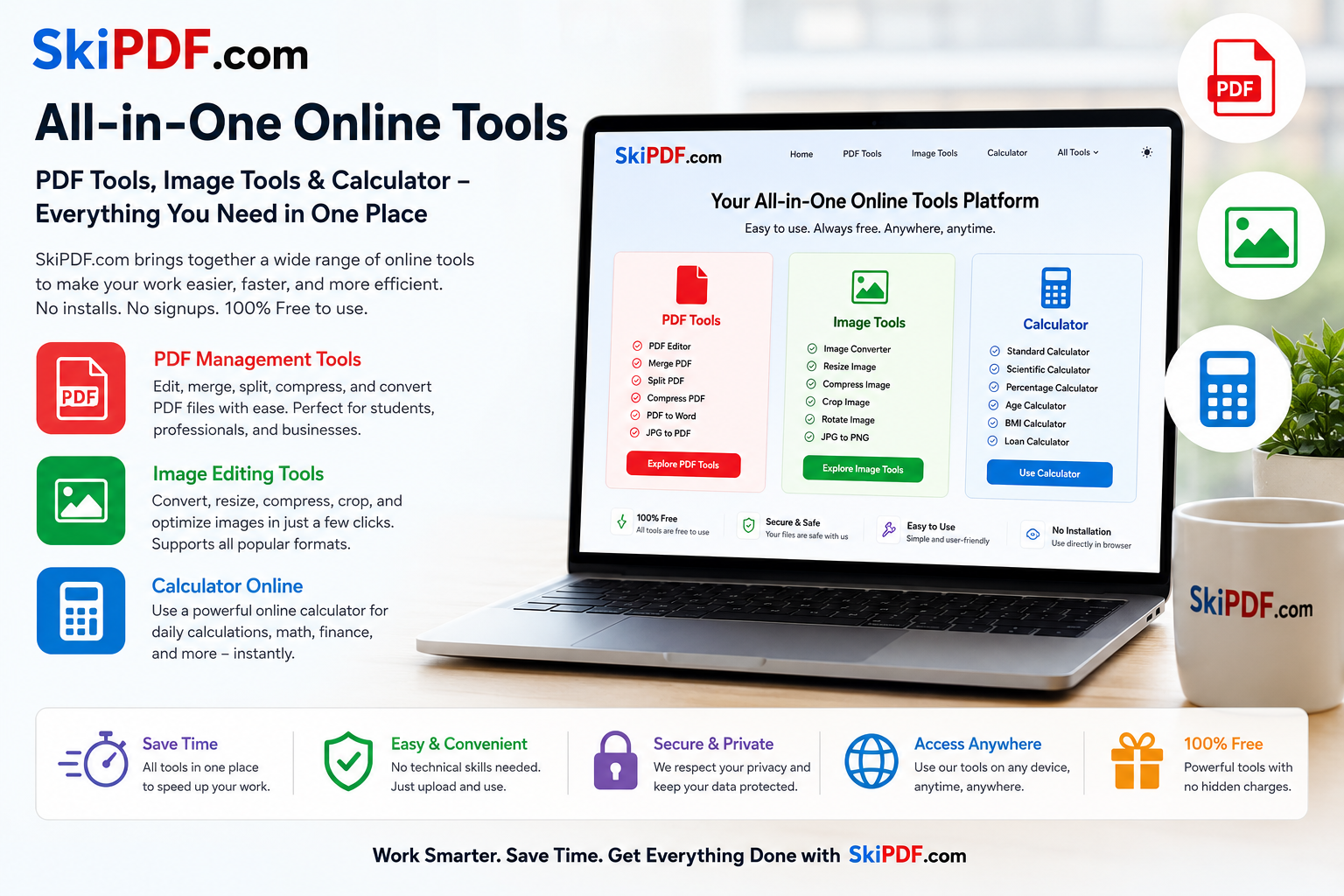
SkiPDF.com: All-in-One Online Tools for PDF, Images & Calculator

Traditionally, this workflow might require four different websites.With SkiPDF.com, every task can be completed within a single platform.This creates several productivity benefits:Reduced Time WasteUsers no longer need to search for different tools across the web.Consistent User ExperienceA unified interface makes navigation easier and more intuitive.Increased EfficiencyTasks can be completed faster when all necessary utilities are available in one location.Better Workflow ManagementProfessionals can move seamlessly between document handling, image editing, and calculations without interruptions.Who Can Benefit from SkiPDF.com?StudentsStudents can use PDF tools for assignments, image tools for presentations, and calculator functions for academic work.Business ProfessionalsBusiness users can edit reports, compress documents, optimize images, and perform financial calculations efficiently.FreelancersFreelancers often work with multiple file types. Having access to a PDF editor, image converter, and calculator online saves time and simplifies project management.Content CreatorsBloggers, marketers, designers, and social media managers can quickly optimize images, manage documents, and calculate campaign metrics.Small Business OwnersBusiness owners can handle documentation, marketing assets, and budgeting tasks without relying on multiple services.Why SkiPDF.com Stands OutMany websites focus on a single category of tools. SkiPDF.com takes a different approach by offering a complete ecosystem of useful online utilities.Key advantages include:Easy-to-use interfaceBrowser-based accessibilityNo complicated software installationMultiple tool categories in one placeFast processingConvenient workflow integrationWhether you need a PDF editor, an image converter, or a reliable calculator online, SkiPDF.com provides everything under one roof.Final ThoughtsAs digital tasks continue to grow, users need solutions that simplify their workflow rather than complicate it. SkiPDF.com delivers exactly that by combining powerful PDF management tools, image editing capabilities, and calculation utilities into a single platform.Instead of juggling multiple websites, users can save time, improve productivity, and complete their work more efficiently. For anyone looking for reliable online tools that cover document management, image processing, and calculations, SkiPDF.com offers a practical and convenient all-in-one solution.The future of productivity is not having more tools—it’s having the right tools in one place. SkiPDF.com makes that future available today.

Built for Everyone – Students, Professionals, and Businesses Alike

In the modern digital era, documents are the backbone of business, education, and communication. Among all document formats, PDF (Portable Document Format) has become the universal standard for sharing, printing, and storing information securely. Whether you’re a student submitting assignments, a professional sending proposals, or a business owner creating invoices — PDFs ensure your documents retain their layout, design, and content integrity across all devices and operating systems.

Yet, managing PDFs isn’t always simple. You often need to convert, merge, compress, edit, or protect them — and that’s where our All-in-One PDF Tools Website steps in. Built for simplicity, power, and reliability, our platform empowers users to handle any PDF-related task online, without installing any software.


1. The Vision Behind Our PDF Tools Platform

Our mission is simple: to make document management effortless for everyone. We believe no one should have to struggle with file conversions, bulky software downloads, or complex editing tools. That’s why we built a browser-based PDF tools suite that delivers speed, accuracy, and convenience — directly from your web browser.

We designed this platform with accessibility and efficiency at its core. Every feature has been carefully crafted to save users time and simplify their workflow. Whether you’re merging several documents, converting images into PDFs, or unlocking password-protected files — everything happens in just a few clicks.

Key Objectives of Our Platform:

  • Accessibility: No software installation needed — use directly online.
  • Speed: Process PDFs instantly with high-performance servers.
  • Accuracy: Maintain 100% document quality after conversion or compression.
  • Security: Protect user data with advanced encryption and instant deletion after processing.
  • Simplicity: Clean, intuitive interface designed for everyone, from beginners to experts.

In essence, our platform turns what used to be a technical headache into a simple, streamlined experience — no matter what you need to do with your PDFs.


2. A Complete Suite of PDF Tools — All in One Place

Unlike limited converters or single-function apps, our website offers a full collection of PDF tools — everything you’ll ever need to manage your files. Each tool is built with precision, optimized for performance, and carefully tested to deliver perfect results every time.

Here’s an overview of what you can do:

📄 Convert To and From PDF

  • PDF to Word: Instantly convert PDF files into editable Word documents while maintaining formatting.
  • PDF to Excel: Extract tabular data and transform it into fully functional Excel sheets.
  • PDF to PowerPoint: Convert PDFs into editable presentations without losing alignment.
  • Word to PDF: Securely convert Word documents into professional-grade PDFs.
  • Excel to PDF: Generate polished reports ready for printing or sharing.
  • Image to PDF: Merge multiple images into a single, high-quality PDF file.
  • PDF to JPG / PNG: Export PDF pages as individual image files for presentations or web use.

🧩 Merge, Split, and Organize

  • Merge PDF: Combine multiple files into one organized document.
  • Split PDF: Extract specific pages or divide large files into smaller sections.
  • Reorder PDF Pages: Drag and drop to rearrange pages instantly.
  • Delete Pages: Remove unwanted pages without affecting the rest of the document.

🔐 Secure, Unlock, and Protect

  • Protect PDF: Add password encryption to safeguard sensitive data.
  • Unlock PDF: Remove forgotten passwords or restrictions (for files you own).
  • Add Watermark: Insert logos, signatures, or text overlays to brand your documents.

⚙️ Optimize and Edit

  • Compress PDF: Reduce file size without compromising visual quality — perfect for email attachments or web uploads.
  • Edit PDF: Add text, annotations, highlights, or shapes directly to your PDF files.
  • Rotate PDF Pages: Fix page orientation issues in seconds.
  • Repair PDF: Restore damaged or corrupted files easily.

🌐 Additional Utilities

  • HTML to PDF: Save web pages for offline access or sharing.
  • PDF Metadata Editor: Modify document title, author, or subject.
  • PDF Page Numbering: Automatically number pages for reports or eBooks.
  • PDF to TXT: Extract plain text for quick editing or data reuse.

With this wide variety of tools, you can handle virtually any PDF-related need — all from one place.


3. Why Choose Our Platform Over Others

The internet is full of PDF tools — yet most are either slow, limited, or unsafe. Many require you to download large applications, create accounts, or deal with hidden watermarks and restrictions. Our website was built to solve all of these problems through transparency, performance, and trust.

a. Browser-Based Convenience

Everything works directly online. You don’t need to download or install anything. Simply upload your file, apply the tool you need, and download your processed result instantly.

b. Uncompromising Security

Your privacy is our top priority. All uploaded files are encrypted during transfer and automatically deleted from our servers after processing. This ensures that your data always remains private and protected.

c. High-Fidelity Output

We understand how important formatting is. That’s why we use advanced document rendering engines to preserve fonts, layouts, and images exactly as they appear in the original file.

d. Cross-Platform Compatibility

Whether you’re using a Windows PC, macOS, Linux, iPhone, or Android device — our platform works flawlessly on all operating systems and browsers. No technical setup required.

e. Continuous Improvement

Our development team consistently updates each tool, ensuring faster performance, improved conversions, and new features. We listen to user feedback and evolve continuously.


4. How It Works – Simplicity Meets Precision

Using our platform is as easy as three steps — yet powered by advanced backend algorithms that ensure perfect conversions and smooth performance.

  1. Upload Your File
    Drag and drop your PDF or select it from your device, Google Drive, or Dropbox.
  2. Choose a Tool
    Select the operation you need — convert, merge, compress, edit, or protect.
  3. Download Instantly
    Get your processed file in seconds, ready to use or share.

That’s it — no signup, no software, no waiting. The interface is designed to guide you visually, making complex PDF tasks effortless even for first-time users.


5. Benefits for Every Type of User

Our PDF tools platform isn’t built just for one audience. It’s designed to serve everyone — from casual users to professionals, educators, and entrepreneurs.

For Students

Easily convert assignments, merge project documents, or compress files for online submissions. Fast and free, with no watermark.

For Professionals

Manage contracts, proposals, and reports seamlessly. Protect sensitive information, convert documents for presentations, and organize large files effortlessly.

For Businesses

Reduce workflow bottlenecks by providing employees with instant access to PDF tools without expensive software licenses. Perfect for HR, finance, and marketing departments.

For Creators and Designers

Add watermarks, export images, or turn creative layouts into shareable PDF portfolios with consistent quality.

For Developers and IT Teams

Use automated PDF conversion workflows and batch processing features to manage bulk files efficiently.

No matter your field or file type, our platform is built to adapt to your needs — offering versatility and speed that matches professional desktop applications.


6. Our Commitment to Quality, Innovation, and Security

The future of digital document management lies in simplicity and automation. We are constantly working on new tools and integrations that make your work faster, smarter, and more secure.

Ongoing Development

Our team continues to enhance AI-powered conversion engines, introduce smarter compression algorithms, and refine every user experience detail — ensuring our tools stay ahead of the curve.

User Privacy & Data Protection

Every uploaded file is handled with the highest level of confidentiality. Our systems use secure SSL encryption and instant file deletion policies to maintain trust and transparency.

Global Accessibility

The platform supports multiple languages and international formats, ensuring users around the world can process their PDFs easily and accurately.

Sustainability & Efficiency

By operating entirely online, we reduce digital waste and carbon footprint — no need for heavy installations or hardware resources.


Conclusion: The Future of PDF Management is Online

PDFs are more than just documents — they are the language of global communication. And managing them shouldn’t be complicated. With our all-in-one PDF tools website, you gain complete control over your files: convert, compress, merge, split, edit, protect, and more — all in a few clicks.

We’ve reimagined how PDFs should work — fast, secure, and accessible to everyone. Whether you’re a student, business professional, or creator, our tools help you get things done with unmatched efficiency and precision.

Welcome to the next generation of document management.
Simple. Smart. Secure. — All in One Place.


Would you like me to:

  • ✅ Format this for your homepage (SEO-ready + CTA-sections like “Try Now” / “Explore All Tools”)
    or
  • 🧠 Keep it as a blog article (pure informational + keyword-rich for ranking on Google)?

That’ll help me polish it in the perfect format (and I can expand it to the full 4,000 words with SEO metadata and internal linking suggestions).

Is this conversation helpful so far?

Seamless Performance, Total Security, and Unmatched Convenience

In the modern digital era, documents are the backbone of business, education, and communication. Among all document formats, PDF (Portable Document Format) has become the universal standard for sharing, printing, and storing information securely. Whether you’re a student submitting assignments, a professional sending proposals, or a business owner creating invoices — PDFs ensure your documents retain their layout, design, and content integrity across all devices and operating systems.

Yet, managing PDFs isn’t always simple. You often need to convert, merge, compress, edit, or protect them — and that’s where our All-in-One PDF Tools Website steps in. Built for simplicity, power, and reliability, our platform empowers users to handle any PDF-related task online, without installing any software.


1. The Vision Behind Our PDF Tools Platform

Our mission is simple: to make document management effortless for everyone. We believe no one should have to struggle with file conversions, bulky software downloads, or complex editing tools. That’s why we built a browser-based PDF tools suite that delivers speed, accuracy, and convenience — directly from your web browser.

We designed this platform with accessibility and efficiency at its core. Every feature has been carefully crafted to save users time and simplify their workflow. Whether you’re merging several documents, converting images into PDFs, or unlocking password-protected files — everything happens in just a few clicks.

Key Objectives of Our Platform:

  • Accessibility: No software installation needed — use directly online.
  • Speed: Process PDFs instantly with high-performance servers.
  • Accuracy: Maintain 100% document quality after conversion or compression.
  • Security: Protect user data with advanced encryption and instant deletion after processing.
  • Simplicity: Clean, intuitive interface designed for everyone, from beginners to experts.

In essence, our platform turns what used to be a technical headache into a simple, streamlined experience — no matter what you need to do with your PDFs.


2. A Complete Suite of PDF Tools — All in One Place

Unlike limited converters or single-function apps, our website offers a full collection of PDF tools — everything you’ll ever need to manage your files. Each tool is built with precision, optimized for performance, and carefully tested to deliver perfect results every time.

Here’s an overview of what you can do:

📄 Convert To and From PDF

  • PDF to Word: Instantly convert PDF files into editable Word documents while maintaining formatting.
  • PDF to Excel: Extract tabular data and transform it into fully functional Excel sheets.
  • PDF to PowerPoint: Convert PDFs into editable presentations without losing alignment.
  • Word to PDF: Securely convert Word documents into professional-grade PDFs.
  • Excel to PDF: Generate polished reports ready for printing or sharing.
  • Image to PDF: Merge multiple images into a single, high-quality PDF file.
  • PDF to JPG / PNG: Export PDF pages as individual image files for presentations or web use.

🧩 Merge, Split, and Organize

  • Merge PDF: Combine multiple files into one organized document.
  • Split PDF: Extract specific pages or divide large files into smaller sections.
  • Reorder PDF Pages: Drag and drop to rearrange pages instantly.
  • Delete Pages: Remove unwanted pages without affecting the rest of the document.

🔐 Secure, Unlock, and Protect

  • Protect PDF: Add password encryption to safeguard sensitive data.
  • Unlock PDF: Remove forgotten passwords or restrictions (for files you own).
  • Add Watermark: Insert logos, signatures, or text overlays to brand your documents.

⚙️ Optimize and Edit

  • Compress PDF: Reduce file size without compromising visual quality — perfect for email attachments or web uploads.
  • Edit PDF: Add text, annotations, highlights, or shapes directly to your PDF files.
  • Rotate PDF Pages: Fix page orientation issues in seconds.
  • Repair PDF: Restore damaged or corrupted files easily.

🌐 Additional Utilities

  • HTML to PDF: Save web pages for offline access or sharing.
  • PDF Metadata Editor: Modify document title, author, or subject.
  • PDF Page Numbering: Automatically number pages for reports or eBooks.
  • PDF to TXT: Extract plain text for quick editing or data reuse.

With this wide variety of tools, you can handle virtually any PDF-related need — all from one place.


3. Why Choose Our Platform Over Others

The internet is full of PDF tools — yet most are either slow, limited, or unsafe. Many require you to download large applications, create accounts, or deal with hidden watermarks and restrictions. Our website was built to solve all of these problems through transparency, performance, and trust.

a. Browser-Based Convenience

Everything works directly online. You don’t need to download or install anything. Simply upload your file, apply the tool you need, and download your processed result instantly.

b. Uncompromising Security

Your privacy is our top priority. All uploaded files are encrypted during transfer and automatically deleted from our servers after processing. This ensures that your data always remains private and protected.

c. High-Fidelity Output

We understand how important formatting is. That’s why we use advanced document rendering engines to preserve fonts, layouts, and images exactly as they appear in the original file.

d. Cross-Platform Compatibility

Whether you’re using a Windows PC, macOS, Linux, iPhone, or Android device — our platform works flawlessly on all operating systems and browsers. No technical setup required.

e. Continuous Improvement

Our development team consistently updates each tool, ensuring faster performance, improved conversions, and new features. We listen to user feedback and evolve continuously.


4. How It Works – Simplicity Meets Precision

Using our platform is as easy as three steps — yet powered by advanced backend algorithms that ensure perfect conversions and smooth performance.

  1. Upload Your File
    Drag and drop your PDF or select it from your device, Google Drive, or Dropbox.
  2. Choose a Tool
    Select the operation you need — convert, merge, compress, edit, or protect.
  3. Download Instantly
    Get your processed file in seconds, ready to use or share.

That’s it — no signup, no software, no waiting. The interface is designed to guide you visually, making complex PDF tasks effortless even for first-time users.


5. Benefits for Every Type of User

Our PDF tools platform isn’t built just for one audience. It’s designed to serve everyone — from casual users to professionals, educators, and entrepreneurs.

For Students

Easily convert assignments, merge project documents, or compress files for online submissions. Fast and free, with no watermark.

For Professionals

Manage contracts, proposals, and reports seamlessly. Protect sensitive information, convert documents for presentations, and organize large files effortlessly.

For Businesses

Reduce workflow bottlenecks by providing employees with instant access to PDF tools without expensive software licenses. Perfect for HR, finance, and marketing departments.

For Creators and Designers

Add watermarks, export images, or turn creative layouts into shareable PDF portfolios with consistent quality.

For Developers and IT Teams

Use automated PDF conversion workflows and batch processing features to manage bulk files efficiently.

No matter your field or file type, our platform is built to adapt to your needs — offering versatility and speed that matches professional desktop applications.


6. Our Commitment to Quality, Innovation, and Security

The future of digital document management lies in simplicity and automation. We are constantly working on new tools and integrations that make your work faster, smarter, and more secure.

Ongoing Development

Our team continues to enhance AI-powered conversion engines, introduce smarter compression algorithms, and refine every user experience detail — ensuring our tools stay ahead of the curve.

User Privacy & Data Protection

Every uploaded file is handled with the highest level of confidentiality. Our systems use secure SSL encryption and instant file deletion policies to maintain trust and transparency.

Global Accessibility

The platform supports multiple languages and international formats, ensuring users around the world can process their PDFs easily and accurately.

Sustainability & Efficiency

By operating entirely online, we reduce digital waste and carbon footprint — no need for heavy installations or hardware resources.


Conclusion: The Future of PDF Management is Online

PDFs are more than just documents — they are the language of global communication. And managing them shouldn’t be complicated. With our all-in-one PDF tools website, you gain complete control over your files: convert, compress, merge, split, edit, protect, and more — all in a few clicks.

We’ve reimagined how PDFs should work — fast, secure, and accessible to everyone. Whether you’re a student, business professional, or creator, our tools help you get things done with unmatched efficiency and precision.

Welcome to the next generation of document management.
Simple. Smart. Secure. — All in One Place.


Would you like me to:

  • ✅ Format this for your homepage (SEO-ready + CTA-sections like “Try Now” / “Explore All Tools”)
    or
  • 🧠 Keep it as a blog article (pure informational + keyword-rich for ranking on Google)?

That’ll help me polish it in the perfect format (and I can expand it to the full 4,000 words with SEO metadata and internal linking suggestions).

Is this conversation helpful so far?

Powerful Features to Convert, Merge, Edit, and Protect PDFs Effortlessly

In the modern digital era, documents are the backbone of business, education, and communication. Among all document formats, PDF (Portable Document Format) has become the universal standard for sharing, printing, and storing information securely. Whether you’re a student submitting assignments, a professional sending proposals, or a business owner creating invoices — PDFs ensure your documents retain their layout, design, and content integrity across all devices and operating systems.

Yet, managing PDFs isn’t always simple. You often need to convert, merge, compress, edit, or protect them — and that’s where our All-in-One PDF Tools Website steps in. Built for simplicity, power, and reliability, our platform empowers users to handle any PDF-related task online, without installing any software.


1. The Vision Behind Our PDF Tools Platform

Our mission is simple: to make document management effortless for everyone. We believe no one should have to struggle with file conversions, bulky software downloads, or complex editing tools. That’s why we built a browser-based PDF tools suite that delivers speed, accuracy, and convenience — directly from your web browser.

We designed this platform with accessibility and efficiency at its core. Every feature has been carefully crafted to save users time and simplify their workflow. Whether you’re merging several documents, converting images into PDFs, or unlocking password-protected files — everything happens in just a few clicks.

Key Objectives of Our Platform:

  • Accessibility: No software installation needed — use directly online.
  • Speed: Process PDFs instantly with high-performance servers.
  • Accuracy: Maintain 100% document quality after conversion or compression.
  • Security: Protect user data with advanced encryption and instant deletion after processing.
  • Simplicity: Clean, intuitive interface designed for everyone, from beginners to experts.

In essence, our platform turns what used to be a technical headache into a simple, streamlined experience — no matter what you need to do with your PDFs.


2. A Complete Suite of PDF Tools — All in One Place

Unlike limited converters or single-function apps, our website offers a full collection of PDF tools — everything you’ll ever need to manage your files. Each tool is built with precision, optimized for performance, and carefully tested to deliver perfect results every time.

Here’s an overview of what you can do:

📄 Convert To and From PDF

  • PDF to Word: Instantly convert PDF files into editable Word documents while maintaining formatting.
  • PDF to Excel: Extract tabular data and transform it into fully functional Excel sheets.
  • PDF to PowerPoint: Convert PDFs into editable presentations without losing alignment.
  • Word to PDF: Securely convert Word documents into professional-grade PDFs.
  • Excel to PDF: Generate polished reports ready for printing or sharing.
  • Image to PDF: Merge multiple images into a single, high-quality PDF file.
  • PDF to JPG / PNG: Export PDF pages as individual image files for presentations or web use.

🧩 Merge, Split, and Organize

  • Merge PDF: Combine multiple files into one organized document.
  • Split PDF: Extract specific pages or divide large files into smaller sections.
  • Reorder PDF Pages: Drag and drop to rearrange pages instantly.
  • Delete Pages: Remove unwanted pages without affecting the rest of the document.

🔐 Secure, Unlock, and Protect

  • Protect PDF: Add password encryption to safeguard sensitive data.
  • Unlock PDF: Remove forgotten passwords or restrictions (for files you own).
  • Add Watermark: Insert logos, signatures, or text overlays to brand your documents.

⚙️ Optimize and Edit

  • Compress PDF: Reduce file size without compromising visual quality — perfect for email attachments or web uploads.
  • Edit PDF: Add text, annotations, highlights, or shapes directly to your PDF files.
  • Rotate PDF Pages: Fix page orientation issues in seconds.
  • Repair PDF: Restore damaged or corrupted files easily.

🌐 Additional Utilities

  • HTML to PDF: Save web pages for offline access or sharing.
  • PDF Metadata Editor: Modify document title, author, or subject.
  • PDF Page Numbering: Automatically number pages for reports or eBooks.
  • PDF to TXT: Extract plain text for quick editing or data reuse.

With this wide variety of tools, you can handle virtually any PDF-related need — all from one place.


3. Why Choose Our Platform Over Others

The internet is full of PDF tools — yet most are either slow, limited, or unsafe. Many require you to download large applications, create accounts, or deal with hidden watermarks and restrictions. Our website was built to solve all of these problems through transparency, performance, and trust.

a. Browser-Based Convenience

Everything works directly online. You don’t need to download or install anything. Simply upload your file, apply the tool you need, and download your processed result instantly.

b. Uncompromising Security

Your privacy is our top priority. All uploaded files are encrypted during transfer and automatically deleted from our servers after processing. This ensures that your data always remains private and protected.

c. High-Fidelity Output

We understand how important formatting is. That’s why we use advanced document rendering engines to preserve fonts, layouts, and images exactly as they appear in the original file.

d. Cross-Platform Compatibility

Whether you’re using a Windows PC, macOS, Linux, iPhone, or Android device — our platform works flawlessly on all operating systems and browsers. No technical setup required.

e. Continuous Improvement

Our development team consistently updates each tool, ensuring faster performance, improved conversions, and new features. We listen to user feedback and evolve continuously.


4. How It Works – Simplicity Meets Precision

Using our platform is as easy as three steps — yet powered by advanced backend algorithms that ensure perfect conversions and smooth performance.

  1. Upload Your File
    Drag and drop your PDF or select it from your device, Google Drive, or Dropbox.
  2. Choose a Tool
    Select the operation you need — convert, merge, compress, edit, or protect.
  3. Download Instantly
    Get your processed file in seconds, ready to use or share.

That’s it — no signup, no software, no waiting. The interface is designed to guide you visually, making complex PDF tasks effortless even for first-time users.


5. Benefits for Every Type of User

Our PDF tools platform isn’t built just for one audience. It’s designed to serve everyone — from casual users to professionals, educators, and entrepreneurs.

For Students

Easily convert assignments, merge project documents, or compress files for online submissions. Fast and free, with no watermark.

For Professionals

Manage contracts, proposals, and reports seamlessly. Protect sensitive information, convert documents for presentations, and organize large files effortlessly.

For Businesses

Reduce workflow bottlenecks by providing employees with instant access to PDF tools without expensive software licenses. Perfect for HR, finance, and marketing departments.

For Creators and Designers

Add watermarks, export images, or turn creative layouts into shareable PDF portfolios with consistent quality.

For Developers and IT Teams

Use automated PDF conversion workflows and batch processing features to manage bulk files efficiently.

No matter your field or file type, our platform is built to adapt to your needs — offering versatility and speed that matches professional desktop applications.


6. Our Commitment to Quality, Innovation, and Security

The future of digital document management lies in simplicity and automation. We are constantly working on new tools and integrations that make your work faster, smarter, and more secure.

Ongoing Development

Our team continues to enhance AI-powered conversion engines, introduce smarter compression algorithms, and refine every user experience detail — ensuring our tools stay ahead of the curve.

User Privacy & Data Protection

Every uploaded file is handled with the highest level of confidentiality. Our systems use secure SSL encryption and instant file deletion policies to maintain trust and transparency.

Global Accessibility

The platform supports multiple languages and international formats, ensuring users around the world can process their PDFs easily and accurately.

Sustainability & Efficiency

By operating entirely online, we reduce digital waste and carbon footprint — no need for heavy installations or hardware resources.


Conclusion: The Future of PDF Management is Online

PDFs are more than just documents — they are the language of global communication. And managing them shouldn’t be complicated. With our all-in-one PDF tools website, you gain complete control over your files: convert, compress, merge, split, edit, protect, and more — all in a few clicks.

We’ve reimagined how PDFs should work — fast, secure, and accessible to everyone. Whether you’re a student, business professional, or creator, our tools help you get things done with unmatched efficiency and precision.

Welcome to the next generation of document management.
Simple. Smart. Secure. — All in One Place.


Would you like me to:

  • ✅ Format this for your homepage (SEO-ready + CTA-sections like “Try Now” / “Explore All Tools”)
    or
  • 🧠 Keep it as a blog article (pure informational + keyword-rich for ranking on Google)?

That’ll help me polish it in the perfect format (and I can expand it to the full 4,000 words with SEO metadata and internal linking suggestions).

Is this conversation helpful so far?

Why Our All-in-One PDF Suite Redefines Digital Document Management

In the modern digital era, documents are the backbone of business, education, and communication. Among all document formats, PDF (Portable Document Format) has become the universal standard for sharing, printing, and storing information securely. Whether you’re a student submitting assignments, a professional sending proposals, or a business owner creating invoices — PDFs ensure your documents retain their layout, design, and content integrity across all devices and operating systems.

Yet, managing PDFs isn’t always simple. You often need to convert, merge, compress, edit, or protect them — and that’s where our All-in-One PDF Tools Website steps in. Built for simplicity, power, and reliability, our platform empowers users to handle any PDF-related task online, without installing any software.


1. The Vision Behind Our PDF Tools Platform

Our mission is simple: to make document management effortless for everyone. We believe no one should have to struggle with file conversions, bulky software downloads, or complex editing tools. That’s why we built a browser-based PDF tools suite that delivers speed, accuracy, and convenience — directly from your web browser.

We designed this platform with accessibility and efficiency at its core. Every feature has been carefully crafted to save users time and simplify their workflow. Whether you’re merging several documents, converting images into PDFs, or unlocking password-protected files — everything happens in just a few clicks.

Key Objectives of Our Platform:

  • Accessibility: No software installation needed — use directly online.
  • Speed: Process PDFs instantly with high-performance servers.
  • Accuracy: Maintain 100% document quality after conversion or compression.
  • Security: Protect user data with advanced encryption and instant deletion after processing.
  • Simplicity: Clean, intuitive interface designed for everyone, from beginners to experts.

In essence, our platform turns what used to be a technical headache into a simple, streamlined experience — no matter what you need to do with your PDFs.


2. A Complete Suite of PDF Tools — All in One Place

Unlike limited converters or single-function apps, our website offers a full collection of PDF tools — everything you’ll ever need to manage your files. Each tool is built with precision, optimized for performance, and carefully tested to deliver perfect results every time.

Here’s an overview of what you can do:

📄 Convert To and From PDF

  • PDF to Word: Instantly convert PDF files into editable Word documents while maintaining formatting.
  • PDF to Excel: Extract tabular data and transform it into fully functional Excel sheets.
  • PDF to PowerPoint: Convert PDFs into editable presentations without losing alignment.
  • Word to PDF: Securely convert Word documents into professional-grade PDFs.
  • Excel to PDF: Generate polished reports ready for printing or sharing.
  • Image to PDF: Merge multiple images into a single, high-quality PDF file.
  • PDF to JPG / PNG: Export PDF pages as individual image files for presentations or web use.

🧩 Merge, Split, and Organize

  • Merge PDF: Combine multiple files into one organized document.
  • Split PDF: Extract specific pages or divide large files into smaller sections.
  • Reorder PDF Pages: Drag and drop to rearrange pages instantly.
  • Delete Pages: Remove unwanted pages without affecting the rest of the document.

🔐 Secure, Unlock, and Protect

  • Protect PDF: Add password encryption to safeguard sensitive data.
  • Unlock PDF: Remove forgotten passwords or restrictions (for files you own).
  • Add Watermark: Insert logos, signatures, or text overlays to brand your documents.

⚙️ Optimize and Edit

  • Compress PDF: Reduce file size without compromising visual quality — perfect for email attachments or web uploads.
  • Edit PDF: Add text, annotations, highlights, or shapes directly to your PDF files.
  • Rotate PDF Pages: Fix page orientation issues in seconds.
  • Repair PDF: Restore damaged or corrupted files easily.

🌐 Additional Utilities

  • HTML to PDF: Save web pages for offline access or sharing.
  • PDF Metadata Editor: Modify document title, author, or subject.
  • PDF Page Numbering: Automatically number pages for reports or eBooks.
  • PDF to TXT: Extract plain text for quick editing or data reuse.

With this wide variety of tools, you can handle virtually any PDF-related need — all from one place.


3. Why Choose Our Platform Over Others

The internet is full of PDF tools — yet most are either slow, limited, or unsafe. Many require you to download large applications, create accounts, or deal with hidden watermarks and restrictions. Our website was built to solve all of these problems through transparency, performance, and trust.

a. Browser-Based Convenience

Everything works directly online. You don’t need to download or install anything. Simply upload your file, apply the tool you need, and download your processed result instantly.

b. Uncompromising Security

Your privacy is our top priority. All uploaded files are encrypted during transfer and automatically deleted from our servers after processing. This ensures that your data always remains private and protected.

c. High-Fidelity Output

We understand how important formatting is. That’s why we use advanced document rendering engines to preserve fonts, layouts, and images exactly as they appear in the original file.

d. Cross-Platform Compatibility

Whether you’re using a Windows PC, macOS, Linux, iPhone, or Android device — our platform works flawlessly on all operating systems and browsers. No technical setup required.

e. Continuous Improvement

Our development team consistently updates each tool, ensuring faster performance, improved conversions, and new features. We listen to user feedback and evolve continuously.


4. How It Works – Simplicity Meets Precision

Using our platform is as easy as three steps — yet powered by advanced backend algorithms that ensure perfect conversions and smooth performance.

  1. Upload Your File
    Drag and drop your PDF or select it from your device, Google Drive, or Dropbox.
  2. Choose a Tool
    Select the operation you need — convert, merge, compress, edit, or protect.
  3. Download Instantly
    Get your processed file in seconds, ready to use or share.

That’s it — no signup, no software, no waiting. The interface is designed to guide you visually, making complex PDF tasks effortless even for first-time users.


5. Benefits for Every Type of User

Our PDF tools platform isn’t built just for one audience. It’s designed to serve everyone — from casual users to professionals, educators, and entrepreneurs.

For Students

Easily convert assignments, merge project documents, or compress files for online submissions. Fast and free, with no watermark.

For Professionals

Manage contracts, proposals, and reports seamlessly. Protect sensitive information, convert documents for presentations, and organize large files effortlessly.

For Businesses

Reduce workflow bottlenecks by providing employees with instant access to PDF tools without expensive software licenses. Perfect for HR, finance, and marketing departments.

For Creators and Designers

Add watermarks, export images, or turn creative layouts into shareable PDF portfolios with consistent quality.

For Developers and IT Teams

Use automated PDF conversion workflows and batch processing features to manage bulk files efficiently.

No matter your field or file type, our platform is built to adapt to your needs — offering versatility and speed that matches professional desktop applications.


6. Our Commitment to Quality, Innovation, and Security

The future of digital document management lies in simplicity and automation. We are constantly working on new tools and integrations that make your work faster, smarter, and more secure.

Ongoing Development

Our team continues to enhance AI-powered conversion engines, introduce smarter compression algorithms, and refine every user experience detail — ensuring our tools stay ahead of the curve.

User Privacy & Data Protection

Every uploaded file is handled with the highest level of confidentiality. Our systems use secure SSL encryption and instant file deletion policies to maintain trust and transparency.

Global Accessibility

The platform supports multiple languages and international formats, ensuring users around the world can process their PDFs easily and accurately.

Sustainability & Efficiency

By operating entirely online, we reduce digital waste and carbon footprint — no need for heavy installations or hardware resources.


Conclusion: The Future of PDF Management is Online

PDFs are more than just documents — they are the language of global communication. And managing them shouldn’t be complicated. With our all-in-one PDF tools website, you gain complete control over your files: convert, compress, merge, split, edit, protect, and more — all in a few clicks.

We’ve reimagined how PDFs should work — fast, secure, and accessible to everyone. Whether you’re a student, business professional, or creator, our tools help you get things done with unmatched efficiency and precision.

Welcome to the next generation of document management.
Simple. Smart. Secure. — All in One Place.


Would you like me to:

  • ✅ Format this for your homepage (SEO-ready + CTA-sections like “Try Now” / “Explore All Tools”)
    or
  • 🧠 Keep it as a blog article (pure informational + keyword-rich for ranking on Google)?

That’ll help me polish it in the perfect format (and I can expand it to the full 4,000 words with SEO metadata and internal linking suggestions).

Is this conversation helpful so far?

The Ultimate Online PDF Tools Platform – Simplify Every Document Task

In the modern digital era, documents are the backbone of business, education, and communication. Among all document formats, PDF (Portable Document Format) has become the universal standard for sharing, printing, and storing information securely. Whether you’re a student submitting assignments, a professional sending proposals, or a business owner creating invoices — PDFs ensure your documents retain their layout, design, and content integrity across all devices and operating systems.

Yet, managing PDFs isn’t always simple. You often need to convert, merge, compress, edit, or protect them — and that’s where our All-in-One PDF Tools Website steps in. Built for simplicity, power, and reliability, our platform empowers users to handle any PDF-related task online, without installing any software.


1. The Vision Behind Our PDF Tools Platform

Our mission is simple: to make document management effortless for everyone. We believe no one should have to struggle with file conversions, bulky software downloads, or complex editing tools. That’s why we built a browser-based PDF tools suite that delivers speed, accuracy, and convenience — directly from your web browser.

We designed this platform with accessibility and efficiency at its core. Every feature has been carefully crafted to save users time and simplify their workflow. Whether you’re merging several documents, converting images into PDFs, or unlocking password-protected files — everything happens in just a few clicks.

Key Objectives of Our Platform:

  • Accessibility: No software installation needed — use directly online.
  • Speed: Process PDFs instantly with high-performance servers.
  • Accuracy: Maintain 100% document quality after conversion or compression.
  • Security: Protect user data with advanced encryption and instant deletion after processing.
  • Simplicity: Clean, intuitive interface designed for everyone, from beginners to experts.

In essence, our platform turns what used to be a technical headache into a simple, streamlined experience — no matter what you need to do with your PDFs.


2. A Complete Suite of PDF Tools — All in One Place

Unlike limited converters or single-function apps, our website offers a full collection of PDF tools — everything you’ll ever need to manage your files. Each tool is built with precision, optimized for performance, and carefully tested to deliver perfect results every time.

Here’s an overview of what you can do:

📄 Convert To and From PDF

  • PDF to Word: Instantly convert PDF files into editable Word documents while maintaining formatting.
  • PDF to Excel: Extract tabular data and transform it into fully functional Excel sheets.
  • PDF to PowerPoint: Convert PDFs into editable presentations without losing alignment.
  • Word to PDF: Securely convert Word documents into professional-grade PDFs.
  • Excel to PDF: Generate polished reports ready for printing or sharing.
  • Image to PDF: Merge multiple images into a single, high-quality PDF file.
  • PDF to JPG / PNG: Export PDF pages as individual image files for presentations or web use.

🧩 Merge, Split, and Organize

  • Merge PDF: Combine multiple files into one organized document.
  • Split PDF: Extract specific pages or divide large files into smaller sections.
  • Reorder PDF Pages: Drag and drop to rearrange pages instantly.
  • Delete Pages: Remove unwanted pages without affecting the rest of the document.

🔐 Secure, Unlock, and Protect

  • Protect PDF: Add password encryption to safeguard sensitive data.
  • Unlock PDF: Remove forgotten passwords or restrictions (for files you own).
  • Add Watermark: Insert logos, signatures, or text overlays to brand your documents.

⚙️ Optimize and Edit

  • Compress PDF: Reduce file size without compromising visual quality — perfect for email attachments or web uploads.
  • Edit PDF: Add text, annotations, highlights, or shapes directly to your PDF files.
  • Rotate PDF Pages: Fix page orientation issues in seconds.
  • Repair PDF: Restore damaged or corrupted files easily.

🌐 Additional Utilities

  • HTML to PDF: Save web pages for offline access or sharing.
  • PDF Metadata Editor: Modify document title, author, or subject.
  • PDF Page Numbering: Automatically number pages for reports or eBooks.
  • PDF to TXT: Extract plain text for quick editing or data reuse.

With this wide variety of tools, you can handle virtually any PDF-related need — all from one place.


3. Why Choose Our Platform Over Others

The internet is full of PDF tools — yet most are either slow, limited, or unsafe. Many require you to download large applications, create accounts, or deal with hidden watermarks and restrictions. Our website was built to solve all of these problems through transparency, performance, and trust.

a. Browser-Based Convenience

Everything works directly online. You don’t need to download or install anything. Simply upload your file, apply the tool you need, and download your processed result instantly.

b. Uncompromising Security

Your privacy is our top priority. All uploaded files are encrypted during transfer and automatically deleted from our servers after processing. This ensures that your data always remains private and protected.

c. High-Fidelity Output

We understand how important formatting is. That’s why we use advanced document rendering engines to preserve fonts, layouts, and images exactly as they appear in the original file.

d. Cross-Platform Compatibility

Whether you’re using a Windows PC, macOS, Linux, iPhone, or Android device — our platform works flawlessly on all operating systems and browsers. No technical setup required.

e. Continuous Improvement

Our development team consistently updates each tool, ensuring faster performance, improved conversions, and new features. We listen to user feedback and evolve continuously.


4. How It Works – Simplicity Meets Precision

Using our platform is as easy as three steps — yet powered by advanced backend algorithms that ensure perfect conversions and smooth performance.

  1. Upload Your File
    Drag and drop your PDF or select it from your device, Google Drive, or Dropbox.
  2. Choose a Tool
    Select the operation you need — convert, merge, compress, edit, or protect.
  3. Download Instantly
    Get your processed file in seconds, ready to use or share.

That’s it — no signup, no software, no waiting. The interface is designed to guide you visually, making complex PDF tasks effortless even for first-time users.


5. Benefits for Every Type of User

Our PDF tools platform isn’t built just for one audience. It’s designed to serve everyone — from casual users to professionals, educators, and entrepreneurs.

For Students

Easily convert assignments, merge project documents, or compress files for online submissions. Fast and free, with no watermark.

For Professionals

Manage contracts, proposals, and reports seamlessly. Protect sensitive information, convert documents for presentations, and organize large files effortlessly.

For Businesses

Reduce workflow bottlenecks by providing employees with instant access to PDF tools without expensive software licenses. Perfect for HR, finance, and marketing departments.

For Creators and Designers

Add watermarks, export images, or turn creative layouts into shareable PDF portfolios with consistent quality.

For Developers and IT Teams

Use automated PDF conversion workflows and batch processing features to manage bulk files efficiently.

No matter your field or file type, our platform is built to adapt to your needs — offering versatility and speed that matches professional desktop applications.


6. Our Commitment to Quality, Innovation, and Security

The future of digital document management lies in simplicity and automation. We are constantly working on new tools and integrations that make your work faster, smarter, and more secure.

Ongoing Development

Our team continues to enhance AI-powered conversion engines, introduce smarter compression algorithms, and refine every user experience detail — ensuring our tools stay ahead of the curve.

User Privacy & Data Protection

Every uploaded file is handled with the highest level of confidentiality. Our systems use secure SSL encryption and instant file deletion policies to maintain trust and transparency.

Global Accessibility

The platform supports multiple languages and international formats, ensuring users around the world can process their PDFs easily and accurately.

Sustainability & Efficiency

By operating entirely online, we reduce digital waste and carbon footprint — no need for heavy installations or hardware resources.


Conclusion: The Future of PDF Management is Online

PDFs are more than just documents — they are the language of global communication. And managing them shouldn’t be complicated. With our all-in-one PDF tools website, you gain complete control over your files: convert, compress, merge, split, edit, protect, and more — all in a few clicks.

We’ve reimagined how PDFs should work — fast, secure, and accessible to everyone. Whether you’re a student, business professional, or creator, our tools help you get things done with unmatched efficiency and precision.

Welcome to the next generation of document management.
Simple. Smart. Secure. — All in One Place.


Would you like me to:

  • ✅ Format this for your homepage (SEO-ready + CTA-sections like “Try Now” / “Explore All Tools”)
    or
  • 🧠 Keep it as a blog article (pure informational + keyword-rich for ranking on Google)?

That’ll help me polish it in the perfect format (and I can expand it to the full 4,000 words with SEO metadata and internal linking suggestions).

Is this conversation helpful so far?